Give a video the feel of real paper.
Draws <MatchCut> <Paper> <CutOut> <FoldOut> <Scrapline>
What it does
Paper brings creases, scanned fibres and grain to a video. From them it makes keyword match cuts, photo cut-outs and hand-drawn lines on torn paper.
MatchCut
A highlighted keyword holds still while the page under it changes several times a second. Use made-up pages or your own screenshots.
CutOut and FoldOut
A photo with its background removed becomes a paper cut-out. FoldOut opens it from a crumpled packet, in stop motion.
Scrapline
A marker, pencil, crayon, scribble or brush line is drawn round a moving subject, on torn paper. It redraws a few times a second, like hand animation.
Demos
Match cut presets
One composition per MatchCut look, five seconds each, keyword "Super Bowl", a paper flick on every cut.
Compositions Screenshots
Paper photo effects
The four cut-out edges, and the fold-out on a green screen and on a desk.
Compositions FoldOut FoldOutDesk Edges
Studio panels
Ready-made scenes for the Hexed, Paper, VJ and caption panels in Studio. Edit a value and the preview redraws.
Compositions HexedLook PaperMatchCut PaperCutOut PaperScrapline PaperFoldOut TypeCaptions VjLook
Reference
Exports, props and examples, for wiring it into a project.
Ships with
What it exports
Components
Drawn as JSX inside a composition.
<MatchCut />
A keyword holds still, highlighted, while the page under it changes several times a second. It fills its composition.
| Prop | What it does |
|---|---|
| keyword | string |
| preset? | a look by name from presets/, under look |
| look? | Partial<MatchCutLook> |
| screenshots? | Screenshot[] |
| everyNth? | a screenshot every nth cut (1: screenshots only); made-up pages between |
| seed? | another pile of made-up pages |
| showKeyBox? | draw the hint (blue) and the snapped box (red) on screenshots, to check them in a still |
| durationInFrames? | frames the push-in runs over; default the composition's |
<Paper />
The sheet: a tint, crumpled creases, a scan multiplied over it if one is given (texture, a path under public/, stretched to cover), a soft fall-off to the corners. seed picks the crumple.
<CutOut />
A photo with its background already removed (a PNG with alpha) as a paper cut-out.
| Prop | What it does |
|---|---|
| src | The subject: a picture with alpha (staticFile('me.png')), its background already removed. |
| id? | Layer id, if more than one is on screen. Default cut-out. |
| x? | Centre of the picture on the canvas. Default the middle. |
| y? | number |
| width? | Drawn width of the picture, px (the height follows). Default 62% of the canvas width. |
| edge? | An edge style, or a style with changes: { style: 'torn', thickness: 0.04, intensity: 1.4, detail: 0.6 }. |
| stock? | The paper: white (default), newsprint, kraft, binder or cardboard, from the plugin's scans. |
| paper? | Colours over the stock's: the border's paper, the sheet's back, the torn fringe; and a picture under public/ multiplied over the paper. |
| back? | string |
| fringe? | string |
| texture? | string |
| creases? | Creases left across the flat sheet (picture included), 0 (none) to 1, from the plugin's crumpled-paper scan. Default 0.45. |
| shadow? | Shadow strength, 0 (none) to about 2. Default 1. |
| boil? | Edge redraws per second (the tear changes, as stop motion). Default 0: held. |
| seed? | Another tear, another crumple. |
| threshold? | Alpha (0..255) that counts as the subject. Default 128. |
| line? | A hand-drawn line round the cut-out, as <Scrapline> draws it: marker, pencil, crayon, scribble or brush, or one with changes ({ style: 'pencil', width: 6 }). Default none. CutOut only; a FoldOut ignores it. |
| lineColor? | The line's colour. Default near-black. |
| lineGap? | Gap between the paper's edge and the line, px. Default 14. |
<FoldOut />
A CutOut that unfolds from a crumpled packet to a flat sheet.
| Prop | What it does |
|---|---|
| delay? | Frames before it starts to open (it waits as a ball). Default 0. |
| duration? | Frames from folded to flat. Default 0.7 s. |
| steps? | Stop-motion rate while it opens: new positions this many times a second. Default 10. |
| folds? | Folds in the sheet, opened last first; each roughly halves it. Default 3. |
| ball? | The packet's size against the flat sheet, before the folds shrink it. Default 0.95. |
| crumple? | How far the packet's facets are knocked about, besides the folds. Default 0.004. |
| turn? | Turn of the packet, degrees, unwound as it opens. Default 14. |
| cells? | Facets across the sheet's longer side (finer bends the flaps more smoothly, costs more). Default 12. |
| src | The subject: a picture with alpha (staticFile('me.png')), its background already removed. |
| id? | Layer id, if more than one is on screen. Default cut-out. |
| x? | Centre of the picture on the canvas. Default the middle. |
| y? | number |
| width? | Drawn width of the picture, px (the height follows). Default 62% of the canvas width. |
| edge? | An edge style, or a style with changes: { style: 'torn', thickness: 0.04, intensity: 1.4, detail: 0.6 }. |
| stock? | The paper: white (default), newsprint, kraft, binder or cardboard, from the plugin's scans. |
| paper? | Colours over the stock's: the border's paper, the sheet's back, the torn fringe; and a picture under public/ multiplied over the paper. |
| back? | string |
| fringe? | string |
| texture? | string |
| creases? | Creases left across the flat sheet (picture included), 0 (none) to 1, from the plugin's crumpled-paper scan. Default 0.45. |
| shadow? | Shadow strength, 0 (none) to about 2. Default 1. |
| boil? | Edge redraws per second (the tear changes, as stop motion). Default 0: held. |
| seed? | Another tear, another crumple. |
| threshold? | Alpha (0..255) that counts as the subject. Default 128. |
| line? | A hand-drawn line round the cut-out, as <Scrapline> draws it: marker, pencil, crayon, scribble or brush, or one with changes ({ style: 'pencil', width: 6 }). Default none. CutOut only; a FoldOut ignores it. |
| lineColor? | The line's colour. Default near-black. |
| lineGap? | Gap between the paper's edge and the line, px. Default 14. |
<Scrapline />
| Prop | What it does |
|---|---|
| id? | Layer id, if more than one Scrapline is on screen (ids must be unique). Default scrapline. |
| trace | Where the outline is traced from: a picture with alpha, a black and white matte video, or an SVG path. |
| line? | The line: marker, pencil, crayon, scribble or brush, or one with changes ({ style: 'pencil', width: 6 }). Default marker. |
| paper? | Paper: white, kraft, binder, cardboard or newsprint (the plugin's scans), a picture under public/ ("photos/me.jpg"), or false for none. Default false. |
| color? | Line colour. Default near-black. |
| offset? | How far the line sits outside the cut-out, px. Default 14. |
| paperMargin? | How far the paper reaches past the line, px. Default 34. |
| paperBoil? | Paper redraws per second. Default 6. |
| seed? | Changes every random number: another take of the same drawing. |
| threshold? | The matte value (0..255) that counts as inside. Default 128; about 40 for a soft matte. |
| traceScale? | The tracing grid is this many times coarser than the canvas. Default 4. |
| children? | The subject, drawn on top. |
Functions (23)
cutOf()
The cut showing at frame, for sound or for cutting to something else on a cut.
focus()
Sharp on a band round the line y = ay, softer with distance above and below it (full blur falloff bands out), the blur smear times taller than wide there so copy runs into vertical streaks; past side from the middle the blur also streaks sideways.
Each pixel gathers 24 points on a spiral sized by its own blur.
measure()
The advance of text in face at size px, measured once at 100 px on an OffscreenCanvas.
screen()
The page as a filmed screen: the picture broken into pixel-px cells, each lit as three soft RGB stripes with a dark gap between rows (an LCD's subpixels, close up), a slight barrel from the lens (curve, filling the frame), and a soft fall-off to the corners. amount 0..1 mixes it in.
Screen space, so the grid holds still under a push-in, as the monitor does in front of a camera.
page()
Page n for keyword, made from layouts in turn from a shuffled start so neighbours differ. reach is how far the copy must run above, below and to each side, page pixels; seed gives another pile of pages.
snapBox()
The keyword's exact box near hint in the image at src (a resolved URL or path), image pixels.
The hint is returned as it is when no ink is found.
crinkle()
Paper crumpled or opened: a dense burst of crackles (each a millisecond or so of noise, loudness spread like real crumpling: mostly faint, now and then a loud snap) over a soft rustle, length seconds long.
Built sample by sample into one buffer from random(key), then shaped: high-passed, a papery presence lift.
flick()
A page flicked over: a short burst of bright noise with a papery band, key varying each one.
flicks()
A flick on every cut: cuts begin at frame start and come cutsPerSecond a second for frames frames.
land()
A sheet landing flat on a desk: a soft low thump of air and paper, with a few crackles on top.
unfolds()
The sound of a <FoldOut>: a crinkle on each stop-motion step while it opens (louder as the flaps get bigger), then the sheet landing flat.
Pass the FoldOut's delay, duration and steps (defaults the same: 0, 0.7 s, 10), and start, the composition frame its Sequence starts on.
openAt()
How open the sheet is at frame: 0 (folded) to 1 (flat), moved only on stop-motion steps.
wrinkles()
drawFace()
drawFolded()
The sheet drawn at canvas point (cx, cy) (its centre), folded by fold.
sheetOf()
The cut-out of src drawn at dw x dh: traced once (alpha >= threshold) and kept.
lineOf()
A line style by name, or a style with changes, as a full LineStyle.
| Prop | What it does |
|---|---|
| id? | Layer id, if more than one Scrapline is on screen (ids must be unique). Default scrapline. |
| trace | Where the outline is traced from: a picture with alpha, a black and white matte video, or an SVG path. |
| line? | The line: marker, pencil, crayon, scribble or brush, or one with changes ({ style: 'pencil', width: 6 }). Default marker. |
| paper? | Paper: white, kraft, binder, cardboard or newsprint (the plugin's scans), a picture under public/ ("photos/me.jpg"), or false for none. Default false. |
| color? | Line colour. Default near-black. |
| offset? | How far the line sits outside the cut-out, px. Default 14. |
| paperMargin? | How far the paper reaches past the line, px. Default 34. |
| paperBoil? | Paper redraws per second. Default 6. |
| seed? | Changes every random number: another take of the same drawing. |
| threshold? | The matte value (0..255) that counts as inside. Default 128; about 40 for a soft matte. |
| traceScale? | The tracing grid is this many times coarser than the canvas. Default 4. |
| children? | The subject, drawn on top. |
drawLine()
The line: every ring gets st.passes overlapping strokes, each drawn on its own.
drawPaper()
Torn paper behind the cut-out: a paler rim, then the paper, both from the same rings grown by the margin and torn. def.texture is the paper picture: one of the plugin's scans, or the user's photo.
flattenPath()
SVG path data to closed polylines (curves flattened).
outlines()
The outlines of the mask grown by distance canvas pixels: simplified, smoothed, in canvas pixels.
| Prop | What it does |
|---|---|
| w | number |
| h | number |
| data | Uint8Array |
readMask()
The cut-out's mask at comp frame frame, on a grid scale times coarser than the canvas.
resample()
Constants (23)
PAGE_LAYOUTS
Printed and article pages: what a look uses when it names no layouts.
The social pages (tweet, reddit, comments) are screens, so a look picks them on purpose (the web preset does).
SCREEN_LAYOUTS
Layouts that are app screens: they keep their own background (light or dark mode), whatever the look's tint.
TEXTURES
The plugin's scans, as data: URLs (tools/textures.py makes them).
The crease maps are grey with their median at white: multiplied over anything they add only the creases' shade.
EDGE_STYLES
The edge styles and paper stocks <CutOut> takes (EDGES and STOCKS in sheet.ts).
LINE_NAMES
The hand-drawn line styles and the papers <Scrapline> takes (LINES and PAPERS in scrap.ts).
MATCH_CUT_PRESETS
Preset names under match-cut/, as <MatchCut preset> takes them.
cutOutLookSchema
<CutOut>'s look and placement: every prop but src and id.
Spread it in: <CutOut src={...} {...look} />.
scraplineLookSchema
<Scrapline>'s look: every prop but trace, id and the subject.
Spread it in: <Scrapline trace={...} {...look}>.
foldOutLookSchema
<FoldOut>'s look, placement and unfolding.
Spread it in: <FoldOut src={...} {...look} />.
matchCutLookSchema
A match cut's look: everything but the keyword and the screenshots.
Every field is optional; a preset fills the rest.
matchCutSchema
The props of <MatchCut>.
screenshotSchema
One of your screenshots, with a rough box round the keyword.
LINES
Width, passes, grain and boil are the spec's; the rest (wobble, spread, overshoot, widthVar, alpha, lanes, dropout) is tuned by eye for each medium.
PAPERS
The papers behind a Scrapline, from the plugin's scans.
DEFAULT_LOOK FACES LAYOUTS PRESETS EDGES DEFAULT_SHEET STOCKS PAPER_NAMES STOCK_NAMES
Stocks, edges and layouts
Paper stocks
white newsprint kraft binder cardboard
Edge styles
torn cut wavy sticker
Page layouts
pull italic kicker body web post display tweet reddit comments
Texture scans
creaseLight creaseHeavy smoothWhite newsprint kraft scrapWhite scrapKraft binder cardboard
Presets
Four ready-made MatchCut looks. Pick one in the Studio panel and adjust from there. Anything a look leaves out falls back to MatchCut's defaults.
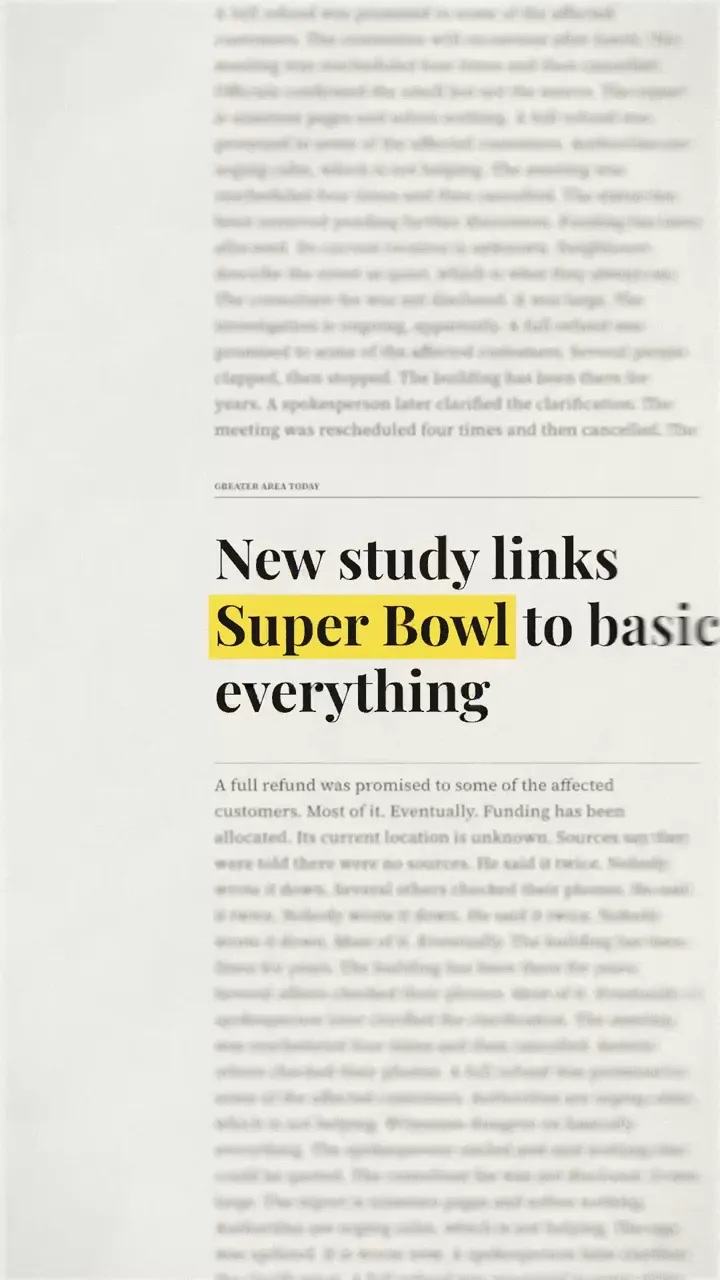
broadsheet
Newspaper layouts (pull quote, italic, kicker, body, display) at ten cuts a second, with a closer push-in.
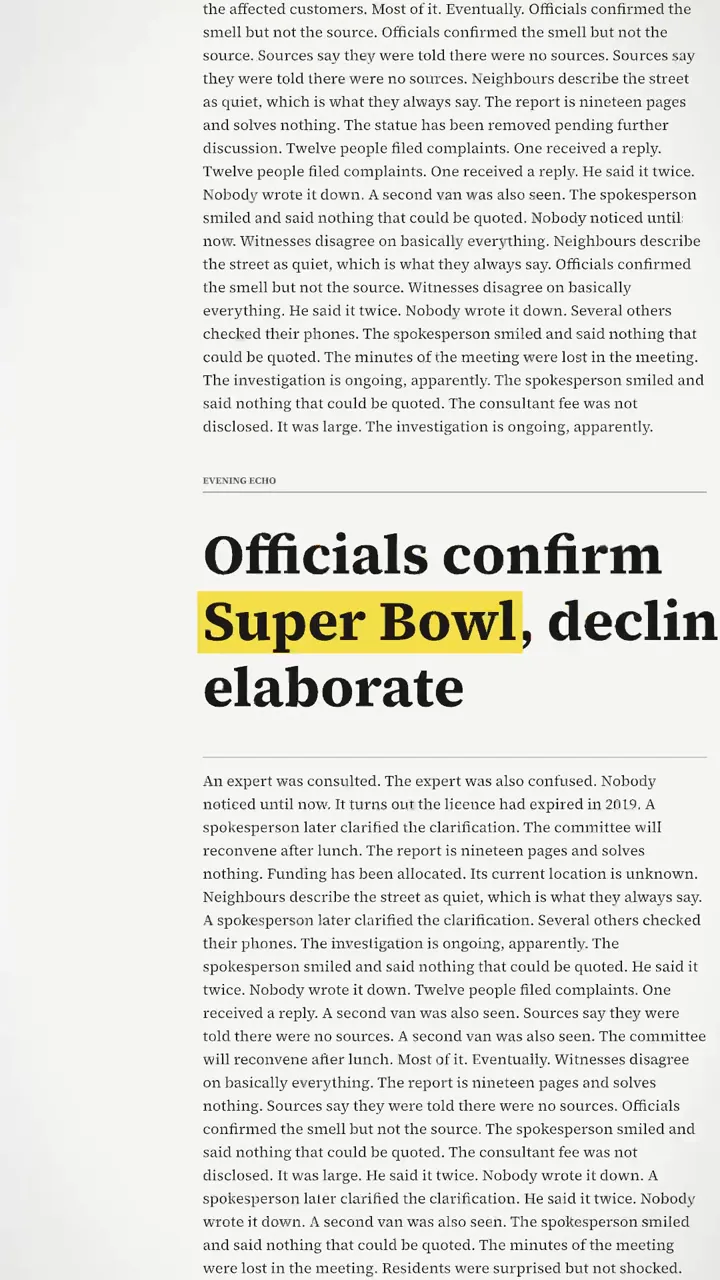
clean
Eight cuts a second on near-white paper, with no blur, streak, crumple, grain or wander.
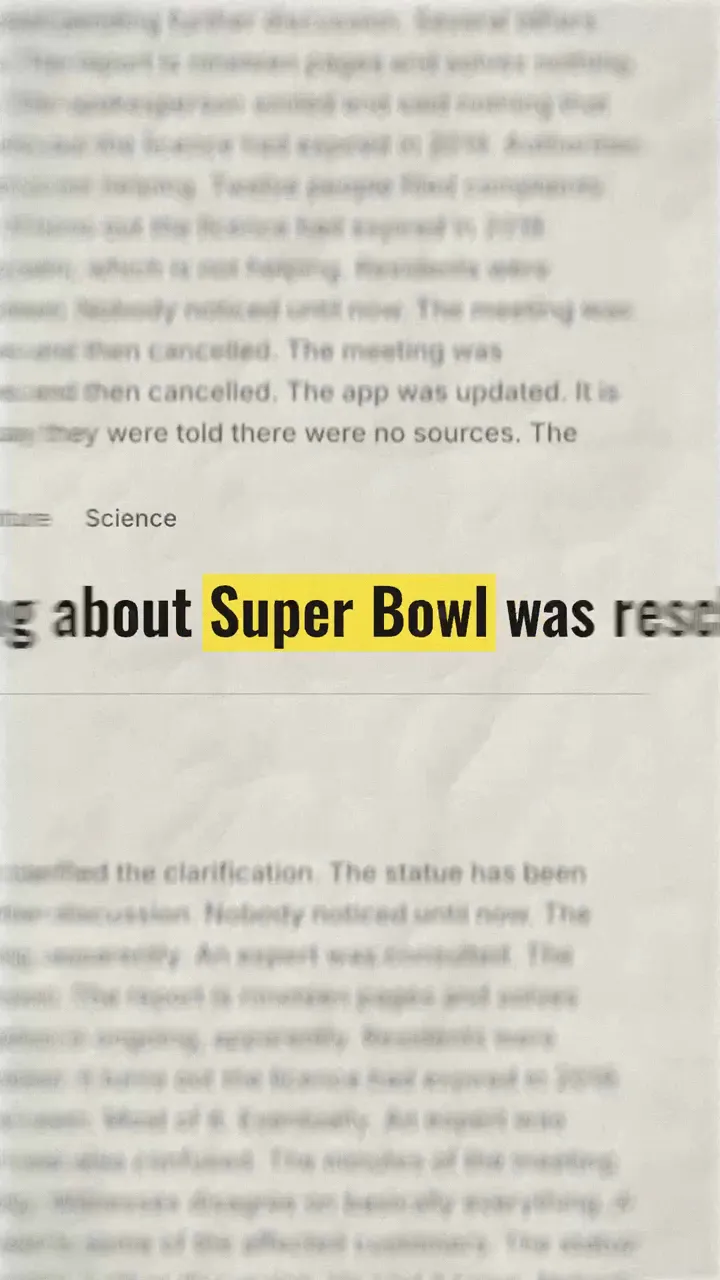
crumpled
The fastest and roughest: twelve cuts a second, heavy smear, streak and crumple, some grain.
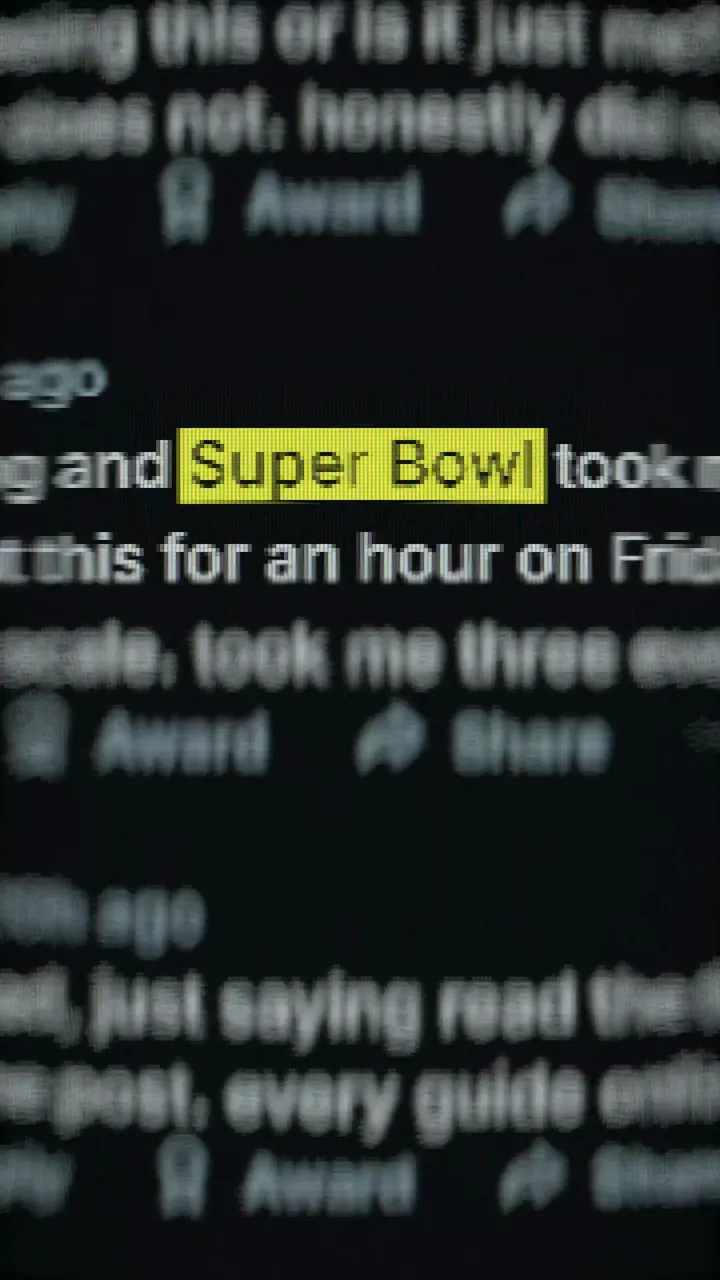
web
Web pages and social posts: ten cuts a second, a strong blur and streak, creased grey paper, a yellow highlight.
Examples
import { MatchCut, flicks } from '@kinetographdev/paper';

flicks({ frames: 150, fps: 30, cutsPerSecond: 10 });

<MatchCut keyword="Super Bowl" preset="web" />
<MatchCut keyword="Super Bowl" preset="broadsheet" look={{ zoom: 1.2, highlight: '#ffd400' }} /><MatchCut
keyword="Super Bowl"
screenshots={[{ src: 'shots/a.png', hint: [212, 1180, 388, 64] }]}
everyNth={1}
showKeyBox
/>In Studio
Panel
Studio gets a Paper panel for MatchCut: a card for each look, a page layout picker, sliders for keyword size, cuts per second, push-in, blur, streak, crumple and grain, colour pickers for the highlight and the paper, and a box on the preview that you drag onto the keyword. CutOut and FoldOut get a sheet view with edge and paper cards, sliders for creases and shadow, and a handle to place the picture.
The plugin adds no agent tools. An agent sets values in Studio, checks the preview, then writes the look it settled on into your code or a preset.
It is a package in the source repository. Its skill comes with it, so an agent can use it without being taught.